Uitfasering CMS 1.0, stap over naar CMS 2.0
Op 1 september 2024 introduceerden wij ons vernieuwde CMS-systeem (CMS 2.0), ontwikkeld met een sterke focus op gebruiksvriendelijkheid, flexibiliteit en moderne technologie. Sinds de lancering zijn al veel gebruikers overgestapt, maar we zien ook dat een deel nog steeds werkt met de verouderde CMS versie, 1.0.
We begrijpen dat wanneer uw huidige systeem nog functioneert, de overstap naar iets nieuws onzekerheden met zich meebrengt. De bekende functionaliteiten, knoppen en instellingen staan op een andere plek of werken anders dan u gewend bent, wat in het begin wellicht invloed heeft op uw dagelijkse werkwijze en efficiëntie. Hoewel deze drempel begrijpelijk is, betekent dit ook dat de voordelen van een moderner, toekomstbestendig en gebruiksvriendelijk CMS onbenut blijven. In combinatie met de naderende uitfasering van CMS 1.0, is het dan ook zonde om deze noodzakelijke overstap nog langer uit te stellen.
Uitfasering CMS 1.0
Om te blijven investeren in innovatie, gebruiksvriendelijkheid en nieuwe functionaliteiten, hebben wij ervoor gekozen onze focus volledig te richten op CMS 2.0 en stoppen wij per 1 juni 2026 met de doorontwikkeling en ondersteuning van CMS 1.0.
Ontwikkeling CMS 2.0
Sinds de lancering van CMS 2.0, ruim anderhalf jaar geleden, hebben wij grote stappen gezet in de verdere ontwikkeling. Een dedicated CMS-team, bestaande uit consultants en ontwikkelaars, heeft intensief gewerkt aan het optimaliseren en uitbreiden van het systeem. Dit heeft geleid tot:
- Meer dan 200 verbeteringen en optimalisaties
- Sneller en eenvoudiger content beheren
- Sterk verbeterde gebruiksvriendelijkheid
- Optimalisatie voor zoekmachines en mobiele weergave
- Grotere flexibiliteit en uitbreidbaarheid
- Moderne technologie die klaar is voor de toekomst
Functionaliteiten CMS 2.0
Gebruiksvriendelijker, toegankelijker en overzichtelijker: dit zijn slechts enkele van de vele voordelen die het vernieuwde CMS te bieden heeft. In onderstaande video neemt onze CMS-specialist u mee in de ontwikkelingen en nieuwe mogelijkheden van CMS 2.0.
Belangrijkste nieuwe functies
-
De ‘Pending Changes’ functionaliteit is één van de belangrijkste nieuwe functies in CMS 2.0 en zorgt ervoor dat u uw pagina’s kunt aanpassen en inzien, zonder dat dit direct zichtbaar is in de live omgeving. Wanneer u uw wijzigingen opslaat, doet u dit automatisch als concept. Via een aparte handeling kunt u deze daadwerkelijk publiceren, ook op een later moment.
-
Met minder gebruik van toolbars en de verbeterde UI elementen voor het aanpassen van de instellingen is de editor een stuk gebruiksvriendelijker. Daarnaast zorgt de realtime verwerking van uw aanpassingen ervoor, dat deze direct zichtbaar zijn op de pagina (als concept, niet live).
-
De Navigator toont een duidelijke structuur van uw pagina en alle componenten die de pagina bevat. Tevens is het mogelijk om de componenten een specifieke naam te geven en kunt u deze door de ‘drag & drop’ functie gemakkelijk een andere positie op de pagina geven.
-
Om het indelen van de pagina makkelijker te maken, is er een duidelijk overzicht van alle mogelijke ‘standaard’ componenten, inclusief een beschrijving/toepassing hiervan. Tevens kunt u één van uw pagina’s of een onderdeel hiervan als template opslaan, zodat u deze gemakkelijk kunt hergebruiken. Deze templates worden automatisch toegevoegd in uw componenten overzicht.
-
Met de ingebouwde ‘CTRL+Z toets combinatie’ kunt u tijdens het aanpassen van uw content uw laatste wijziging ongedaan maken. Daarnaast kunt u al uw wijzigingen terugvinden én indien gewenst terugzetten in de historie functie. Deze functie vindt u links in het aside menu.
-
Met het StarterKit thema krijgt de look-and-feel van uw huidige FloriShop een upgrade naar een moderne uitstraling, zonder technische aanpassingen of verandering in uw werkwijze.
-
- Aside Editor
- Verbeterde beheer toolbar
- Moderne interface
- Responsiveness (mobielvriendelijkheid)
- SEO (vindbaarheid)
- Drag & Drop
Hoe stap ik over naar CMS 2.0?
Overstappen naar CMS 2.0 is eenvoudig en kosteloos:
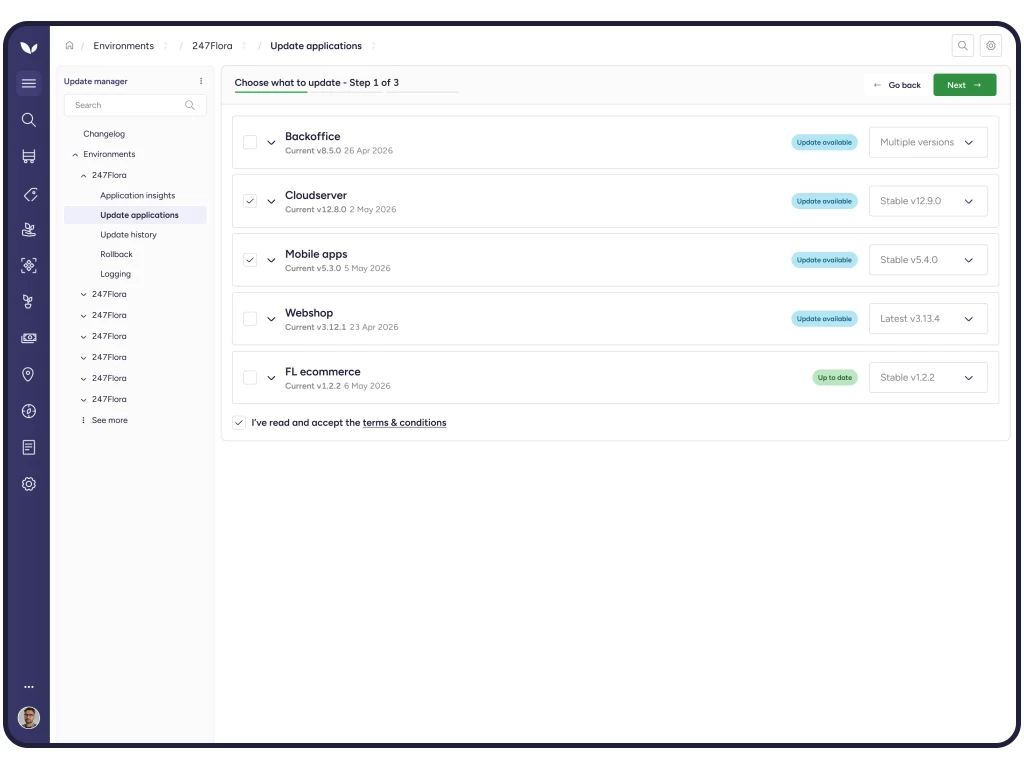
- Om ervoor te zorgen dat de 2.0 versie zichtbaar is in uw beheerscherm, dient u eerst een update uit te voeren.
- Vervolgens kunt u als beheerder via ‘configuratie’ naar de webshop settings (instellingen) navigeren.
- Via de parameter CMSVERSION kiest u voor de versie 'CMS 2.0'.
- De CMS 2.0 omgeving wordt automatisch geactiveerd.
Handleiding CMS 2.0
Voor meer informatie over de werkwijze van CMS 2.0 kunt u onze handleiding raadplegen via deze link.
Meer informatie?
Heeft u naar aanleiding van deze informatie nog vragen? Neem dan gerust contact op met ons kantoor via onderstaande ‘contact button’.
Wellicht ook interessant?